Azure Functions + Dataverse integration: architecture, value, and trade-offs
A practical deep dive into Azure Functions + Dataverse architecture, multi-language code examples, deployment patterns, and source control discipline.

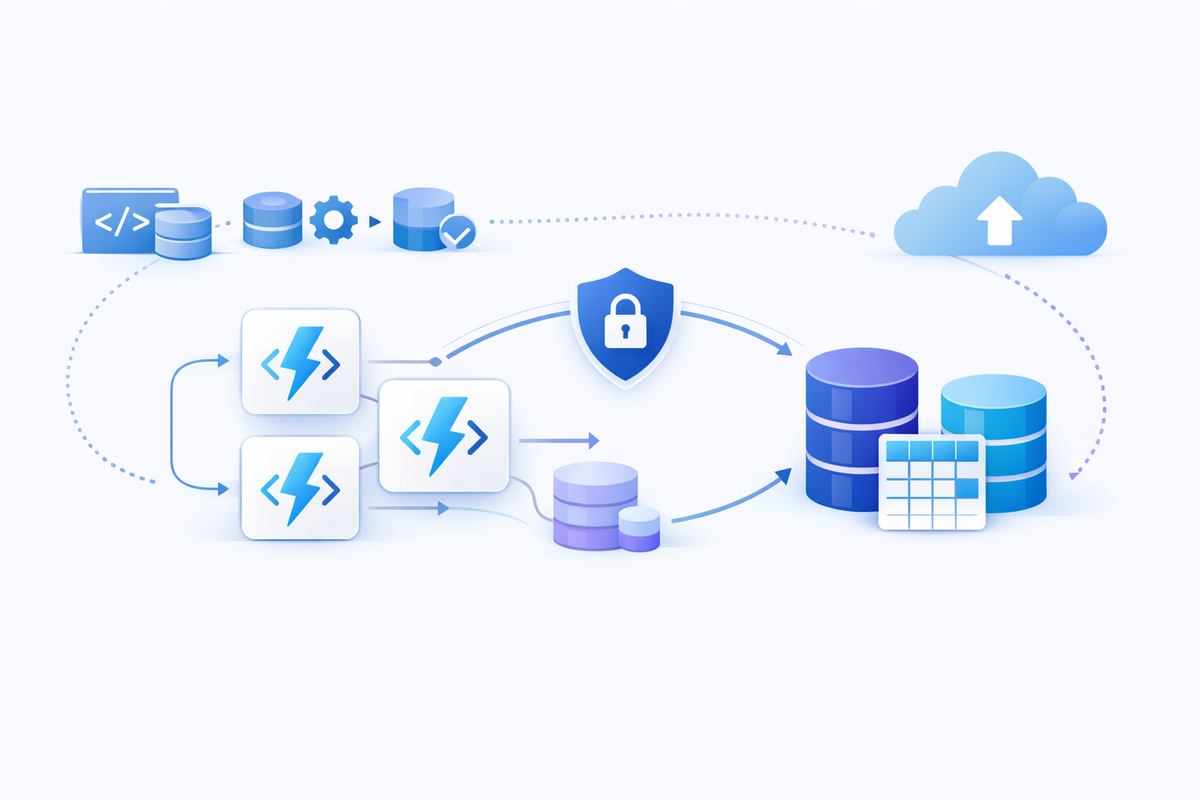
Azure Functions plus Dataverse is one of the most useful combinations in Power Platform engineering. You get low operational overhead, a clean code-first extension layer, and a scalable way to run custom logic that does not belong inside every flow.
The trick is not just connecting both services. The trick is structuring the architecture so it stays maintainable six months later.
When Azure Functions + Dataverse is the right fit
- You need custom business logic that is hard to model in low-code actions.
- You need reusable endpoints consumed by multiple flows/apps.
- You need event-driven processing with burst scaling.
- You need language/runtime flexibility for integrations and data shaping.
Reference architecture
- Identity: Entra app registration + OAuth.
- Compute: HTTP/Event-triggered Azure Functions.
- Data layer: Dataverse Web API or Dataverse ServiceClient.
- Observability: Application Insights + correlation IDs.
- Resilience: retry/backoff for transient errors and Dataverse limits.
C# example (Azure Function + Dataverse Web API via client credentials)
using Microsoft.Identity.Client;
using System.Net.Http.Headers;

var tenantId = Environment.GetEnvironmentVariable("TENANT_ID");
var clientId = Environment.GetEnvironmentVariable("CLIENT_ID");
var clientSecret = Environment.GetEnvironmentVariable("CLIENT_SECRET");
var org = Environment.GetEnvironmentVariable("DATAVERSE_ORG"); // contoso.crm4

var authority = $"https://login.microsoftonline.com/{tenantId}";
var scope = new[] { $"https://{org}.dynamics.com/.default" };

var app = ConfidentialClientApplicationBuilder
    .Create(clientId)
    .WithClientSecret(clientSecret)
    .WithAuthority(authority)
    .Build();

var token = await app.AcquireTokenForClient(scope).ExecuteAsync();

using var http = new HttpClient { BaseAddress = new Uri($"https://{org}.dynamics.com/api/data/v9.2/") };
http.DefaultRequestHeaders.Authorization = new AuthenticationHeaderValue("Bearer", token.AccessToken);
http.DefaultRequestHeaders.Add("OData-Version", "4.0");
http.DefaultRequestHeaders.Add("OData-MaxVersion", "4.0");

var res = await http.GetAsync("accounts?$select=name&$top=5");
var body = await res.Content.ReadAsStringAsync();
Tip: Keep token acquisition and HttpClient lifetime under control to avoid cold-start amplification and socket churn.
C# example (Dataverse ServiceClient in Function DI)
builder.Services.AddScoped(_ =>
    new ServiceClient(Environment.GetEnvironmentVariable("DataverseConnectionString")));

// inside function
var account = new Entity("account") { ["name"] = "Lago Demo" };
var id = await orgService.CreateAsync(account);
This pattern is popular in the field because it keeps Dataverse interaction concise while preserving backend code structure.
JavaScript example (Node Function calling Dataverse)
import fetch from "node-fetch";

const org = process.env.DATAVERSE_ORG;
const token = await getTokenSomehow(); // MSAL confidential client

const resp = await fetch(`https://${org}.dynamics.com/api/data/v9.2/contacts?$select=fullname&$top=10`, {
  headers: {
    Authorization: `Bearer ${token}`,
    "OData-Version": "4.0",
    "OData-MaxVersion": "4.0",
    Accept: "application/json"
  }
});

const data = await resp.json();
Python example (Function worker style)
import os, requests

def query_accounts(access_token: str):
    org = os.environ["DATAVERSE_ORG"]
    url = f"https://{org}.dynamics.com/api/data/v9.2/accounts?$select=name&$top=5"
    r = requests.get(
        url,
        headers={
            "Authorization": f"Bearer {access_token}",
            "OData-Version": "4.0",
            "OData-MaxVersion": "4.0",
            "Accept": "application/json"
        },
        timeout=20
    )
    r.raise_for_status()
    return r.json()
How to deploy this safely
1) Choose hosting plan based on behavior, not habit
Functions plan choice affects latency, scaling, network capabilities, and cost profile. Pick it intentionally.
2) Use CI/CD for production deployments
Tools-based publish is fine during development. For production, use GitHub Actions or Azure Pipelines with validations and rollback strategy.
3) Treat configuration as deployment artifacts
- Store secrets in Key Vault or secure app settings.
- Never hardcode org URL, tenant IDs, or client secrets.
- Keep environment-specific settings separated.
Source control tips that prevent future pain
- Use trunk-based flow or short-lived feature branches for Functions code.
- Version API contracts and keep changelog notes for breaking changes.
- For Dataverse solution assets, use source control with unpacked solution files and avoid unsupported manual edits.
- Keep app code and solution components in the same repo only if ownership and release cadence match.
- Add pre-merge checks: linting, unit tests, smoke tests against non-prod Dataverse.
Operational best practices
- Expect and handle 429 responses from Dataverse.
- Implement retry with backoff for transient failures only.
- Include correlation IDs in both function logs and Dataverse operation logs.
- Monitor success rate, p95 latency, and throttling frequency.
What other practitioners are doing
Community implementations often converge on the same practical patterns: client-credentials auth, ServiceClient or Web API usage, dependency injection, and environment-variable-driven config. The details vary, but the architecture direction is consistent.
Conclusion
This stack shines when you respect boundaries: orchestration where it belongs, domain logic where it belongs, and observability everywhere.
If you are designing this architecture now and want a pragmatic review, feel free to reach out via www.lago.dev.
References
- Azure Functions overview
- Azure Functions best practices
- Azure Functions deployment technologies
- Dataverse OAuth authentication
- Dataverse Web API overview
- Dataverse service protection API limits
- Dataverse ServiceClient class
- Source control with solution files
- Dataverse Git source control operations
- Community: Dataverse Web API from .NET Core / Azure Functions
- Community: Azure Functions + Dataverse ServiceClient