Dataverse Custom API guide: registration, usage, and real benefits
A practical guide to Dataverse Custom API design, registration, usage patterns, ALM discipline, and the real benefits teams see in production.

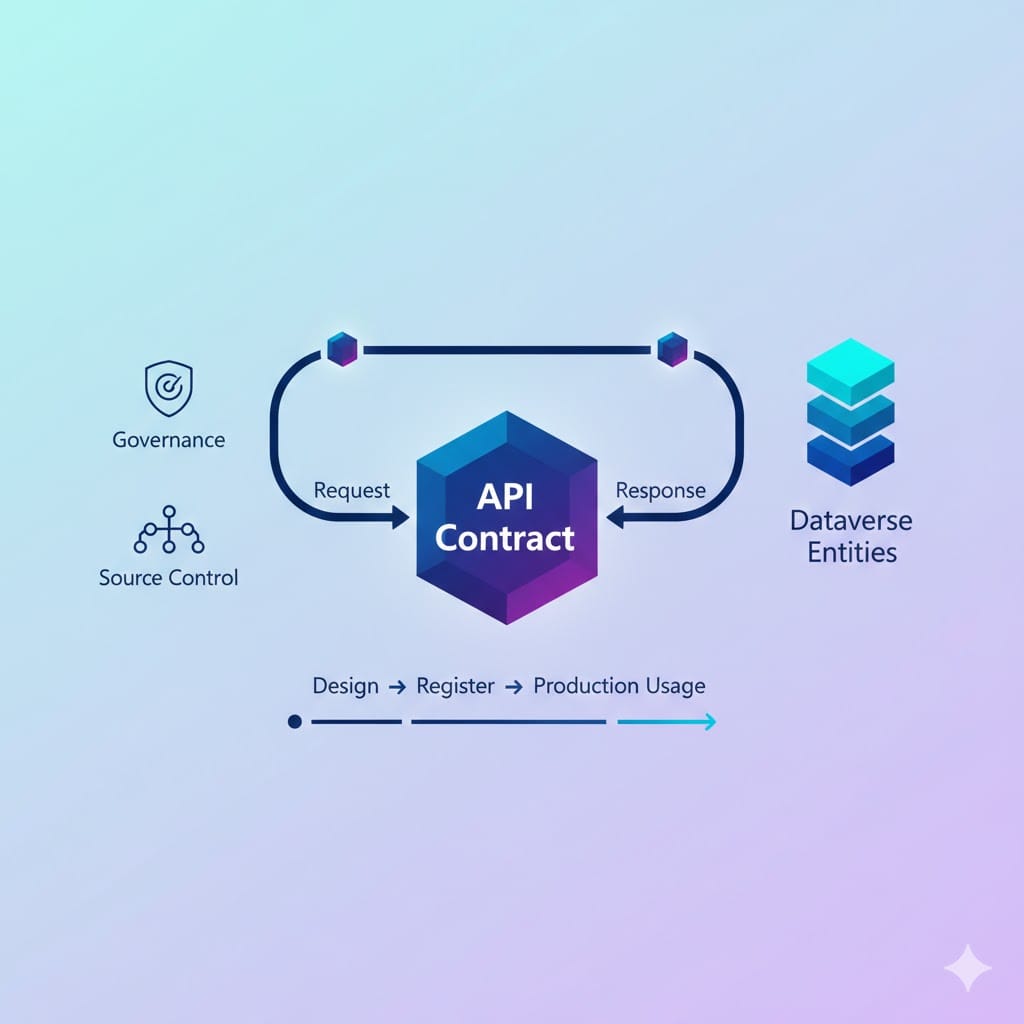
Dataverse Custom API is one of the most underused architecture tools in Power Platform projects. Teams often jump straight to ad-hoc plugins or oversized flows, then wonder why maintenance gets painful.
If you need clean contracts, reusable operations, and long-term stability, Custom API is usually the better boundary.
What Dataverse Custom API actually gives you
- A named operation with explicit input and output.
- A stable contract consumable from code, flows, and integrations.
- A cleaner way to centralize domain logic than scattering behavior across multiple layers.
When to choose Custom API
- You have a business operation that is more than simple CRUD.
- You need a predictable interface consumed by multiple clients.
- You want a controlled extensibility model for future scenarios.
- You care about ALM and managed deployment quality.
How registration works in practice
Step 1. Define the operation contract
Create the Custom API message and make naming explicit. A good name should read like a business action, not a technical shortcut.
Step 2. Add request and response fields intentionally
Keep parameters minimal and typed. If consumers cannot understand the contract from the schema alone, the API design is too vague.
Step 3. Attach core logic
Most teams implement behavior with a plugin step. Keep plugin logic focused on one responsibility and avoid hidden side effects.
Step 4. Set processing step policy
- None when behavior must be locked.
- Async Only when downstream listeners can react but not alter core behavior.
- Sync and Async when extensibility is required and governance is mature.
Step 5. Validate from real consumers
Test with Dataverse Web API and Power Automate action calls so you validate not only backend behavior, but actual consumer experience.
Usage patterns that work well
- Orchestration entry point: flow calls one Custom API instead of many scattered actions.
- Integration facade: external systems call one stable operation while internal implementation can evolve.
- Business event trigger surface: combine with Dataverse business events for cleaner event-driven integrations.
Real benefits in delivery projects
- Less duplicate logic across flows and plugins.
- Cleaner change impact analysis.
- Better onboarding for new developers and consultants.
- Safer long-term versioning strategy.
Source control and ALM guidance
- Keep API definitions and related solution components in source control.
- Use managed solutions downstream and avoid unmanaged production edits.
- Set Is Customizable = false for shipped managed components that define contracts.
- Version contract changes deliberately and document migration notes.
Code examples you can actually reuse
C# example: Execute a Custom API via Dataverse SDK
var request = new OrganizationRequest("new_SubmitOrder")
{
    ["OrderId"] = orderId,
    ["RequestedBy"] = userId
};

var response = service.Execute(request);
var status = response.Results.Contains("Status") ? response["Status"]?.ToString() : "Unknown";
var trackingId = response.Results.Contains("TrackingId") ? response["TrackingId"]?.ToString() : null;
Use this when: you need a stable operation contract from backend code.
Web API example: Call a Custom API operation
POST https://<org>.crm.dynamics.com/api/data/v9.2/new_SubmitOrder
Authorization: Bearer <token>
Content-Type: application/json

{
  "OrderId": "00000000-0000-0000-0000-000000000001",
  "RequestedBy": "lago@contoso.com"
}
Use this when: external services or Functions need to invoke your operation.
Power Automate pattern: one action, clear contract
Trigger
  -> Prepare payload
  -> Perform unbound action: new_SubmitOrder
  -> Condition on response.Status
      -> Success path
      -> Error path (log + notify + terminate)
Use this when: you want to keep flows orchestration-focused and avoid business logic duplication.
Best practices (battle-tested)
- Name for business intent: use verbs that map to domain actions, not implementation details.
- Keep contracts small: avoid optional-everything APIs that become impossible to validate.
- Return explicit errors: include status and actionable messages for consumers.
- Avoid hidden side effects: one operation, one clear responsibility.
- Version intentionally: if schema changes, version your API surface and document migration.
Source control strategy for Custom API
- Keep API-related solution components in Git.
- Protect main branch with PR reviews and validation checks.
- Tag releases that introduce contract changes.
- Use managed deployments downstream. No unmanaged edits in production.
/power-platform/solution/
  /src (unpacked solution files)
/docs/
  custom-api-contracts.md
  changelog.md
/pipelines/
  validate-solution.yml
  deploy-managed.yml
Common mistakes I keep seeing
- Using Custom API without clear ownership.
- Adding too many optional parameters “just in case”.
- Letting consumers depend on undocumented behavior.
- Skipping contract documentation and relying on tribal knowledge.
Pragmatic checklist before go-live
- Can a new team member understand operation purpose in one minute?
- Are required parameters truly required and validated?
- Is error behavior explicit and consumable?
- Is managed deployment locked correctly?
- Do consumers have a simple usage example?
Conclusion
Dataverse Custom API is not just a developer feature. It is an architecture decision that protects your platform from long-term complexity.
If you are shaping your Dataverse operation layer and want a quick sanity check, you can reach me at www.lago.dev.