Power Automate vs Logic Apps vs Azure Functions for Dataverse custom logic
A practical architecture guide for choosing Power Automate, Logic Apps, and Azure Functions in Dataverse projects, including governance, source control, throttling, custom connectors, and deployment.

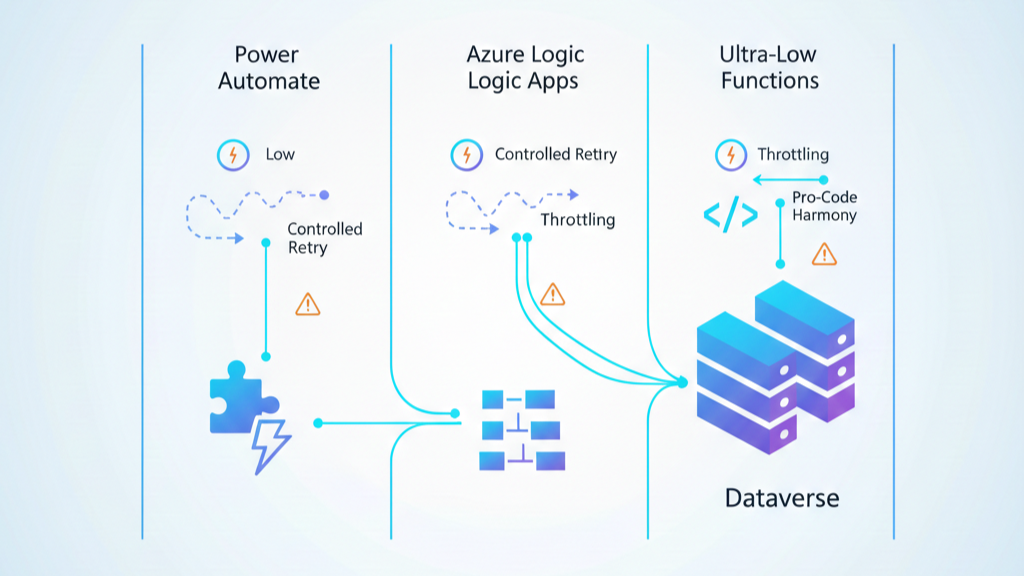
Power Platform teams keep asking the same architecture question: Should this custom logic go into Power Automate, Azure Logic Apps, or Azure Functions?
Most comparisons stay too generic. This one is practical and biased toward real delivery constraints: source control, low-code team velocity, throttling, error handling, deployment, and ownership after go-live.
Short answer first
- Power Automate works best when the process is business-driven and maker-friendly.
- Azure Logic Apps works best for integration-heavy cloud workflows with enterprise connectors, control, and operations.
- Azure Functions works best for custom code, reusable domain logic, and advanced technical behavior.
The real winning pattern in 2026 is hybrid, not tribal.
Decision framework that actually works
1) Team profile and ownership model
If your primary builders are citizen developers and business analysts, Power Automate gives faster adoption. If your integration team owns production support, Logic Apps and Functions give stronger operational control.
2) Workflow complexity and connector strategy
Power Automate and Logic Apps are both designer-first. Logic Apps goes deeper for enterprise integration patterns and advanced deployment models. If you depend on non-standard APIs, custom connectors become a major architecture decision in both ecosystems.
3) Code depth and testability
When logic requires robust unit testing, strict versioning, and reusable code modules, Functions usually wins. It keeps critical logic in code where engineering discipline is easier to enforce.
4) Error handling and resilience requirements
If you need explicit retry policies, dead-letter strategies, idempotency controls, and telemetry-rich exception handling, Logic Apps and Functions usually give more depth. Power Automate can still be robust, but it needs stronger design discipline to avoid fragile flow sprawl.
5) Throughput and throttling behavior
For Dataverse-heavy scenarios, service protection limits and query throttling are non-negotiable constraints. Architectures that ignore 429 handling, retry-after headers, and query anti-patterns eventually hurt user experience.
Low-code empowerment without low-code chaos
Consultants often face a false choice: empower makers or keep engineering control. You can do both.
- Use Power Automate for transparent business orchestration and approvals.
- Use Functions for complex domain logic and reusable APIs.
- Use Logic Apps for cross-system orchestration and enterprise integration.
This split empowers low-code teams while keeping fragile logic out of UI-centric flow steps.
Error handling by platform
Power Automate
- Use Scope-based Try/Catch patterns and Run After explicitly.
- Classify business errors vs transient infrastructure errors.
- Avoid “success” status when business intent actually failed.
Azure Logic Apps
- Use built-in workflow error handling, action-level retry, and compensation paths.
- Leverage monitoring and diagnostics from Azure-native tooling.
Azure Functions
- Use structured try/catch and centralized logging in Application Insights.
- Adopt trigger-specific retry policies where supported and enforce idempotency.
Custom connectors: where integration design gets real
Custom connectors are not just technical wrappers. They define your integration contract and governability model.
- Use OpenAPI-first definitions.
- Prefer Entra ID/OAuth over weak auth patterns.
- Version connector operations intentionally.
- Treat connector updates like API releases, not ad-hoc edits.
Both Power Automate and Logic Apps support custom connectors, but platform context and lifecycle controls differ.
Dataverse throttling and performance realities
Dataverse can throttle by API usage (429 + Retry-After) and also throttle specific query patterns that degrade database health.
- Implement retry with backoff for transient load.
- Avoid anti-patterns like leading wildcards and expensive calculated filters.
- Minimize selected columns and avoid broad scans in hot paths.
This is where many architectures fail in production: they are functionally correct but operationally expensive.
Deployment and source control guidance
Power Platform and Dataverse artifacts
- Use unmanaged solutions in dev, managed solutions downstream.
- Use Dataverse Git integration or unpacked solution-file strategy with clear branching conventions.
- Keep source control as source of truth, not maker environments.
Logic Apps and Functions
- Use CI/CD pipelines for production releases.
- Avoid manual portal drift.
- Add automated checks for config, secrets, and environment targeting.
A practical architecture pattern that scales
- Power Automate handles business process orchestration and user-facing approvals.
- Logic Apps handles integration-heavy workflows across cloud systems.
- Functions expose reusable custom logic and complex data operations.
- Dataverse stays the transactional core, protected by query and API discipline.
This pattern preserves maker productivity while reducing long-term operational entropy.
What the community keeps debating
Across blog posts, Microsoft Q&A threads, Reddit discussions, and LinkedIn conversations, the same trade-off appears repeatedly: speed versus control. The best teams stop debating tools in abstract terms and design around ownership, risk, and production behavior.
Final verdict
If your team chooses a single tool as a religion, you will hit limits. If you design a layered automation architecture, you get speed, resilience, and maintainability.
If you want to workshop your current design decisions, feel free to reach out at www.lago.dev.
Decision matrix (realtime interfaces only)
- Need sub-second to low-second API latency: Azure Functions first choice, Logic Apps second, Power Automate only for lightweight cases.
- Need heavy cross-system orchestration in real time: Logic Apps first choice, Functions for custom compute.
- Need maker-led maintenance: Power Automate first choice, with guardrails.
- Need strict source control + CI/CD: Functions and Logic Apps easiest to enforce; Power Automate requires stronger ALM discipline.
- Need advanced retry/idempotency control: Functions and Logic Apps generally stronger.
Interface design rule for realtime integrations
- Keep synchronous path minimal and deterministic.
- Move non-critical actions to asynchronous steps.
- Use idempotency keys and explicit error contracts.
- Design for Dataverse throttling and retry-after behavior from day one.
References
- Integration and automation platform options in Azure
- Power Automate vs Logic Apps
- Azure Functions error handling and retry guidance
- Custom connectors overview
- Custom connectors in Azure Logic Apps
- Dataverse service protection API limits
- Dataverse query throttling
- Overview of Dataverse Git integration
- Source control with solution files