
Microsoft Foundry or Local LLMs? Choosing the Right AI Architecture for Power Platform

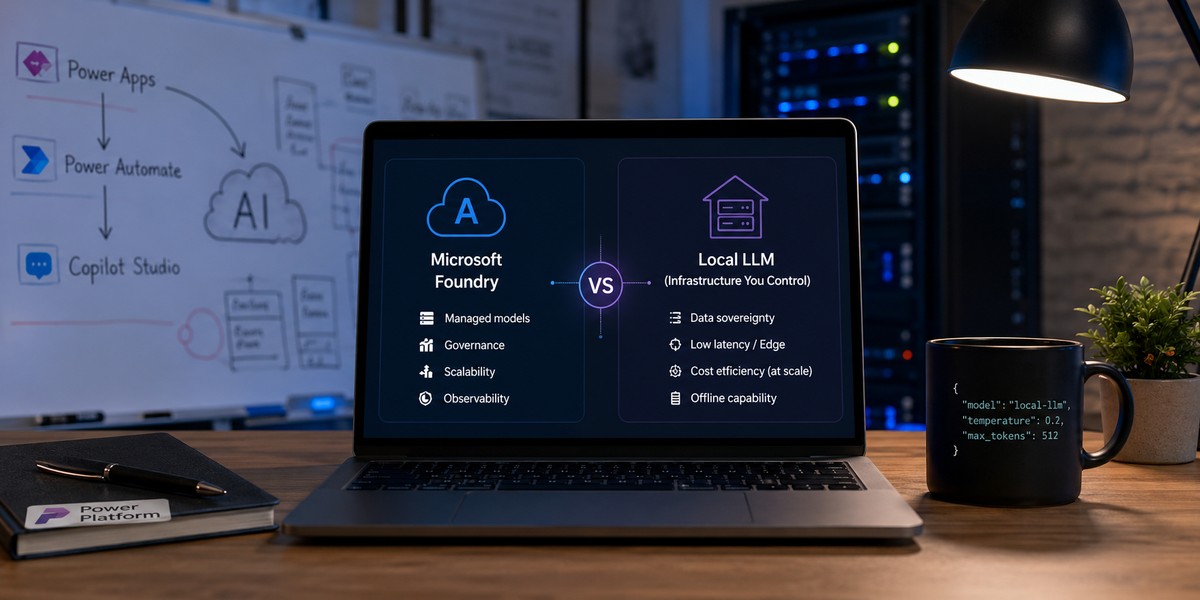
Generative AI is no longer a futuristic experiment. Enterprises are moving models into customer service, document processing, knowledge management, software development, and operational workflows.
As those projects move from proof of concept to production, one architectural question appears remarkably quickly:
Should we consume a managed cloud model, or deploy an LLM on infrastructure we control?
Both approaches have legitimate strengths. Both introduce risks. Neither is universally correct.
The right answer depends on the sensitivity of the data, expected request volume, latency requirements, regulatory interpretation, available hardware, operational maturity, and how much control the organisation genuinely needs.
This article examines that decision through the lens of Microsoft Foundry and the Microsoft Power Platform. We will look at where Foundry excels, five situations in which local inference may be the better architectural choice, and how a locally hosted model can be connected securely to Power Apps, Power Automate, and Copilot Studio.
First, what is Microsoft Foundry?
Microsoft Foundry is Microsoft's unified Azure platform for building, deploying, evaluating, governing, and operating AI applications and agents.
It brings models, agents, tools, monitoring, evaluations, role-based access control, networking, and policies into a common management layer. Rather than asking every development team to assemble an AI platform from separate services, Foundry provides a managed foundation on top of Azure infrastructure.
Its model catalogue includes models from Microsoft, OpenAI, Meta, DeepSeek, Hugging Face, and other providers. Teams can compare models, evaluate them with their own data, deploy supported models, fine-tune where available, and connect them to applications through APIs and SDKs.
At a high level, Foundry provides:
- Model discovery and deployment, including hosted and managed-compute options.
- Agent development, with tools, instructions, knowledge sources, and managed execution.
- Evaluation, including quality, safety, and task-specific assessment.
- Tracing and observability, covering requests, latency, failures, and agent behaviour.
- Governance, including Microsoft Entra ID, RBAC, policies, networking, and auditability.
- Responsible AI tooling, such as content safety and red-team evaluation capabilities.
- Developer interfaces, including REST APIs, SDKs, CLI tooling, and the Foundry portal.
The current Foundry portal is generally available for its defined core scenarios, although not every feature is GA. Some monitoring, workflow, memory, networking, and agent capabilities remain in preview, so production architects still need to check the status of every required component rather than treating the entire platform as one indivisible product.
A useful terminology note
“Foundry versus local AI” is no longer a completely clean distinction.
Microsoft also offers Foundry Local, an on-device runtime for embedding smaller models directly into applications, and a separate Foundry Local on Azure Local architecture for enterprise inference on Arc-enabled Kubernetes infrastructure.
Foundry Local can run inference on the user's device, operate without an Azure subscription, and expose OpenAI-compatible request formats. It is primarily designed for embedded, single-user, on-device scenarios rather than serving a heavily concurrent enterprise workload from one machine.
For clarity, this article uses:
- Microsoft Foundry to mean managed, Azure-hosted AI services.
- Local or self-hosted LLM to mean inference running on infrastructure controlled by the organisation, whether that is a workstation, server, Kubernetes cluster, edge device, or on-premises data centre.
Why Microsoft Foundry wins in many enterprise scenarios
For most organisations, the strongest argument for Foundry is not that local inference is impossible. It is that running AI reliably is a much larger job than loading model weights onto a GPU.
Operational simplicity
With a managed deployment, the organisation does not have to build every layer of the serving platform itself.
Azure handles much of the infrastructure lifecycle, while the development team can concentrate on prompts, application logic, evaluations, grounding, security roles, and business outcomes.
A self-hosted platform must account for:
- GPU drivers and runtime compatibility
- Model loading and serving
- Capacity planning
- Request queuing
- Concurrency
- Scaling
- Failover
- Patching
- Monitoring
- Model upgrades
- Backup and recovery
- Security hardening
None of those problems is impossible. Collectively, however, they form a small platform-engineering department wearing a GPU-shaped hat.
Model variety
Foundry provides a broad catalogue instead of committing the organisation to one model family or one hosting pattern.
Teams can evaluate several models against the same use case and select according to quality, latency, region, context length, modality, deployment model, and price. Foundry currently describes a catalogue containing more than 1,900 models across foundation, reasoning, small language, multimodal, domain-specific, and industry categories.
That does not mean all models are available in every region or support every deployment type. Availability, quotas, licensing, and feature support still need to be validated for the target architecture.
Governance and identity
Foundry integrates with Azure identity, networking, policy, monitoring, and role-based access control.
For governance-sensitive production workloads, Microsoft recommends Microsoft Entra ID and RBAC rather than relying exclusively on API keys, because keys do not provide the same permission granularity.
This matters when multiple teams, environments, applications, and data classifications share the same AI platform.
A central platform team can answer questions such as:
- Which application invoked which model?
- Which identity made the request?
- Which environment owns the deployment?
- How much capacity is being consumed?
- Which features are still in preview?
- Which teams can deploy or modify models?
- Which networking and regional restrictions apply?
Recreating all of that locally is possible, but it must be designed and operated explicitly.
Evaluation and observability
A model producing fluent text is not the same as a model performing a business process reliably.
Production systems require evaluations for accuracy, groundedness, safety, tool selection, format compliance, latency, and regression. They also require tracing that can show what happened across a multi-step agent or workflow.
Foundry places evaluation and operational tooling alongside model and agent development. That reduces the temptation to postpone observability until the first production incident arrives carrying a clipboard and a concerned expression.
Enterprise integration
Foundry endpoints can be consumed through standard application architectures and integrated with Microsoft services. This makes it suitable for use behind APIs, Azure Functions, Logic Apps, custom connectors, Power Automate flows, Power Apps, and Copilot Studio solutions.
Microsoft Foundry exposes REST endpoints and SDKs, allowing an application to integrate only the platform components it needs rather than forcing every solution into one application model.
Five scenarios where local LLM deployment can make more sense
Foundry is often the easiest default, but “cloud first” should not become “cloud without analysis.”
There are several situations in which local inference deserves serious consideration.
Scenario 1: Data-location or sovereignty constraints
Some workloads operate under contractual, organisational, sector-specific, or national requirements that strictly limit where data may be processed.
This can occur in:
- Defence and public-sector environments
- Healthcare systems
- Financial services
- Critical infrastructure
- Research organisations
- Legal and professional services
- Projects involving export-controlled information
It is important not to reduce this decision to “GDPR means no cloud.” That is usually an oversimplification.
Cloud services can provide regional deployment, private networking, contractual protections, encryption, access controls, and extensive compliance certifications. Conversely, placing a server in the company basement does not automatically make a workload compliant.
The real architectural question is:
Can the organisation demonstrate that the selected processing location, operator, data flow, retention policy, access model, and model provider meet the applicable obligations?
When the answer requires all inference to stay inside a controlled environment, a local model may be the most defensible option.
Scenario 2: Highly sensitive intellectual property
Sometimes the input data is not merely confidential. It is the organisation's competitive advantage.
Examples include:
- Pharmaceutical research
- Unpublished financial analysis
- Source code for security-sensitive systems
- Product designs and engineering specifications
- Merger and acquisition documents
- Legal strategy
- Proprietary manufacturing processes
A managed cloud platform may still be acceptable after legal, security, and contractual review. However, certain customers and security teams will require the data path to remain entirely inside infrastructure controlled by the organisation.
Local inference can reduce exposure to external service providers, but it does not eliminate security risk. It transfers more of that risk to the organisation.
The local platform now becomes responsible for:
- Endpoint security
- Identity and authorisation
- Network segmentation
- Disk encryption
- Logging
- Backup protection
- Patch management
- Insider risk
- Model and dependency supply chains
Local is not the absence of trust. It is choosing to place more trust in your own controls.
Scenario 3: Low latency and edge processing
Every cloud request adds network latency before inference even begins.
For a conversational assistant, that extra delay may be acceptable. For an industrial control room, a voice interface, an augmented-reality application, or a model participating in a high-frequency decision loop, it may not be.
Running the model close to the application can reduce:
- Network round trips
- Time to first token
- Dependency on internet connectivity
- Variability caused by external service congestion
The benefit must still be measured rather than assumed.
A local model running on insufficient hardware may be slower than a cloud deployment running on optimised accelerators. Latency should be benchmarked end to end, including prompt construction, tokenisation, queue time, generation, tool calls, and response processing.
Scenario 4: Stable, high-volume workloads
Cloud token pricing is attractive because it lets a project begin without purchasing infrastructure.
At sufficiently high and predictable volume, however, a fixed pool of owned or reserved hardware may become economically competitive.
Typical candidates include:
- Bulk document classification
- Entity extraction
- Summarisation of large archives
- Repetitive translation workloads
- Offline embedding generation
- Millions of small structured-output requests
- Internal coding or knowledge services with sustained utilisation
The comparison should use total cost of ownership, not GPU price versus token price.
A local deployment also incurs:
- Electricity
- Cooling
- Rack or hosting space
- Hardware depreciation
- Spare capacity
- Engineering time
- Monitoring
- Security
- Maintenance
- Replacement hardware
- Software and model licensing
Local inference tends to become more attractive when utilisation is high, predictable, and sustained. Cloud tends to remain attractive for bursty workloads because the organisation does not pay for idle accelerators.
Scenario 5: Offline, remote, or disconnected operation
Some environments cannot depend on a permanent internet connection.
Examples include:
- Remote industrial facilities
- Ships and offshore platforms
- Vehicles
- Field-service devices
- Secure rooms
- Disaster-response environments
- Air-gapped networks
In these cases, a cloud-only architecture may be operationally impossible.
A local model can continue working during connectivity loss and can process data directly where it is generated.
For on-device applications, Foundry Local is now one Microsoft-supported option. For shared, multi-user server inference, a dedicated serving framework or an enterprise Kubernetes-based architecture is usually more appropriate. Foundry Local documentation explicitly distinguishes its lightweight single-user focus from dedicated server frameworks intended for concurrent access.
Cloud versus local: a practical decision table
| Question | Microsoft Foundry | Local or self-hosted |
|---|---|---|
| Fastest route to production | Usually stronger | Requires platform preparation |
| Access to many models | Strong | Limited to deployed and supported models |
| Infrastructure ownership | Microsoft/Azure | Your organisation |
| Per-request cost | Consumption or provisioned pricing | Hardware and operating cost |
| Bursty workloads | Strong | Hardware may remain idle |
| Predictable high utilisation | Can become expensive | May offer better economics |
| Offline operation | Not for cloud-hosted inference | Strong |
| Data remains on premises | Not necessarily | Possible |
| Built-in governance and tracing | Strong | Must be assembled |
| Customisation and runtime control | Controlled by service options | Maximum control |
| Maintenance burden | Lower | Higher |
| Hardware failure responsibility | Cloud provider | Your team |
| Time to change models | Often fast | Download, validate, deploy, and retest |
| Power Platform integration | Standard cloud integration | Requires a secure connectivity pattern |
In many organisations, the eventual architecture is hybrid.
Sensitive extraction may run locally, while a cloud model handles lower-risk reasoning. An edge model may perform first-pass classification before an approved subset of data is sent to Foundry. Different business units may use different model endpoints behind one governed API layer.
Connecting a local LLM to Power Platform
A local model becomes useful to Power Platform when it is exposed as a secure service.
The basic architecture looks like this:
Power App / Copilot Studio
            │
            ▼
     Power Automate flow
            │
            ▼
 Custom connector or HTTP API
            │
            ▼
 Authentication + API gateway
            │
            ▼
 Local inference endpoint
            │
            ▼
 vLLM / Ollama / llama.cpp /
 Foundry Local / another runtime
The serving runtime is only the innermost box. Production readiness comes from everything surrounding it.
Approach 1: Expose a secured REST API
The most direct integration pattern is to expose the inference service through HTTPS.
Frameworks such as vLLM can provide an OpenAI-compatible API, including chat-completion endpoints. vLLM also supports continuous batching, distributed inference, structured output, tool calling, quantisation, and multiple hardware platforms.
A Power Automate HTTP action or custom connector can then call the service using a familiar request format.
For example:
POST /v1/chat/completions
Authorization: Bearer {token}
Content-Type: application/json
{
  "model": "local-instruct-model",
  "messages": [
    {
      "role": "system",
      "content": "Return a concise answer using only the supplied context."
    },
    {
      "role": "user",
      "content": "Summarise this service report: ..."
    }
  ],
  "temperature": 0.2,
  "max_tokens": 500
}
An OpenAI-compatible response commonly places the generated content here:
choices[0].message.content
In Power Automate, an expression for an HTTP action named Call_local_LLM could look like:
body('Call_local_LLM')?['choices']?[0]?['message']?['content']
The external endpoint should sit behind an API gateway or reverse proxy that provides:
- TLS
- Authentication
- Rate limiting
- Request-size limits
- IP restrictions where appropriate
- Logging and correlation IDs
- Timeouts
- Health checks
- Secret rotation
- Optional payload filtering
An inference server should never be published directly to the internet without authentication. That turns expensive GPU capacity into a public vending machine where somebody else owns the buttons.
Approach 2: Use the on-premises data gateway
When the model endpoint is private and inbound access is not permitted, Power Platform's on-premises data gateway can bridge cloud services and on-premises resources.
The gateway is supported by Power Apps and Power Automate and establishes the connectivity required for supported on-premises data sources and connectors. Microsoft describes it as a secure bridge between on-premises data and cloud services.
Power Automate supports custom connectors through the gateway, as well as selected built-in connectors such as HTTP with Microsoft Entra ID. Gateway clusters can also provide failover rather than relying on one gateway installation.
A typical pattern is:
Power Automate
      │
      ▼
Custom connector
      │
      ▼
On-premises data gateway
      │
      ▼
Internal HTTPS inference API
Advantages include:
- The model API does not need a public inbound endpoint.
- Connectivity originates through the gateway architecture.
- Gateway administration can be centralised.
- Multiple apps and flows can reuse the same governed connector.
- Gateway clustering can reduce single points of failure.
The connector still needs a properly defined API contract and authentication model. Power Platform custom connectors can wrap public or private REST APIs and can be defined using an OpenAPI description.
One important limitation is that custom code inside a custom connector is not currently supported when that connector is used with the on-premises data gateway. Transformations should therefore live in the API itself, in standard connector policies where supported, or in the Power Automate flow.
Approach 3: Use a reverse tunnel for development
For a short-lived prototype, a developer may expose a local endpoint through a reverse tunnel.
Possible tools include:
- Cloudflare Tunnel
- ngrok
- Azure Relay
- A temporary development proxy
This can be convenient when demonstrating a model running on a laptop or lab server.
It should not quietly become the production architecture because the proof of concept “already works.”
Before production, evaluate:
- Availability guarantees
- Authentication
- Certificate ownership
- Traffic logging
- Data residency
- Secret management
- Dependency on a developer account
- Rate limits
- Support model
- Exit strategy
A prototype tunnel is scaffolding. It should not become a load-bearing wall by accident.
Integration comparison
| Approach | Best suited to | Production suitability |
|---|---|---|
| Public HTTPS API behind a gateway or reverse proxy | DMZ-hosted services and controlled external APIs | Yes, with strong security and operations |
| Custom connector with on-premises data gateway | Private enterprise networks and restrictive inbound firewall policies | Yes |
| Reverse tunnel | Demonstrations and short-lived prototypes | Generally no |
| Foundry Local SDK inside an application | Single-user or on-device applications | Yes, for supported scenarios |
| Dedicated Kubernetes or inference platform | Shared, concurrent, highly available local inference | Yes, with platform engineering |
Consuming the model from Power Platform
Once the endpoint is reachable, Power Platform offers several integration surfaces.
Power Automate
Power Automate is usually the best orchestration layer.
A flow can:
- Receive input from Power Apps, Dataverse, SharePoint, an event, or an HTTP trigger.
- Retrieve the business data required for the prompt.
- Remove or mask data the model does not need.
- Build the system and user messages.
- Call the local model through a custom connector or HTTP action.
- Parse the response.
- Validate the format.
- Apply business rules.
- Store the result and relevant telemetry.
- Return the result to the calling application.
For structured tasks, ask the model to return JSON and validate it before continuing.
For example:
{
  "category": "technical_issue",
  "priority": "high",
  "summary": "The compressor is repeatedly overheating.",
  "requiresHumanReview": true
}
The flow should treat model output as untrusted input.
Do not let an LLM directly approve payments, delete records, send legal correspondence, or change production systems without deterministic validation and appropriate human controls.
Power Apps
A canvas app can invoke a Power Automate flow or call a custom connector directly.
The flow pattern is often preferable because it keeps:
- API credentials out of the app
- Prompt construction on the server side
- Logging in one location
- Model selection configurable
- Retry and timeout behaviour centralised
- Sensitive business logic out of the client
Power Apps can then concentrate on collecting input and presenting results.
Copilot Studio
A custom connector or Power Automate flow can be exposed as an action for a Copilot Studio agent.
This can allow an agent to use a local model for a specialised operation such as:
- Classifying a confidential document
- Extracting structured data
- Translating an internal technical code
- Summarising protected content
- Running a domain-specific local model
The architecture should make it explicit which model is responsible for which step. Otherwise, a “local AI action” may still send its result, conversation context, or source content into another cloud-hosted model later in the orchestration.
Dataverse plugins and server-side services
For synchronous Dataverse operations, avoid placing a slow generative model directly in a transaction-critical plugin unless the latency and failure behaviour have been carefully designed.
A more resilient pattern is:
Dataverse event
      │
      ▼
Asynchronous flow or queue
      │
      ▼
Inference API
      │
      ▼
Validated result written to Dataverse
This separates the business transaction from variable inference latency.
What does it take to run a local LLM in production?
A local demo can be started with one command.
A production service is a different creature.
Model serving
For multi-user GPU inference, frameworks such as vLLM provide features including continuous batching, distributed parallelism, prefix caching, structured output, tool calling, and OpenAI-compatible APIs.
Other runtimes may be more suitable for different requirements:
- Ollama for straightforward local model management and experimentation
- llama.cpp for broad quantisation support and efficient GGUF inference
- Foundry Local for embedded, on-device Microsoft-supported scenarios
- Kubernetes-based serving for high availability and horizontal platform operations
- Specialised inference engines for particular hardware or model families
“Best” depends on concurrency, hardware, model architecture, operating system, quantisation, context size, and operational requirements.
Memory sizing
There is no reliable rule stating that every 7-billion-parameter model requires 16 GB of VRAM or that every 70-billion-parameter model requires a particular GPU.
A useful starting estimate for model weights is:
Weight memory ≈ parameter count × bits per weight ÷ 8
For example:
27B model at 8-bit  ≈ 27 GB of weight data
27B model at 4-bit  ≈ 13.5 GB of weight data
70B model at 4-bit  ≈ 35 GB of weight data
That is only the weight memory.
Additional capacity is needed for:
- KV cache
- Runtime buffers
- Activations
- CUDA graphs
- Parallelism overhead
- Multimodal encoders
- Long context windows
- Concurrent requests
Context length and concurrency can change the memory requirement dramatically. Always benchmark the exact model, quantisation, context, serving framework, and expected workload.
Availability
A single GPU workstation is a useful lab. It is not automatically an enterprise service.
Production planning should consider:
- What happens when the GPU fails?
- Can the model be loaded on another node?
- How long does recovery take?
- Is there a health endpoint?
- Can requests be drained during maintenance?
- Is there a second gateway?
- Are drivers and model artefacts reproducible?
- Can the previous model version be restored?
- How are capacity limits communicated to callers?
Security
The inference service needs the same security discipline as any other sensitive API.
At minimum:
- TLS for data in transit
- Encrypted storage
- Identity-based access where possible
- Short-lived or regularly rotated secrets
- Network segmentation
- Audit logging
- Input-size controls
- Dependency scanning
- Model licence review
- Administrative access controls
- Documented retention policies
Observability
Track more than GPU utilisation.
Useful production metrics include:
- Request count
- Queue time
- Time to first token
- Input and output token counts
- Generation speed
- End-to-end latency
- Error rate
- Timeout rate
- GPU memory use
- Cache utilisation
- Model version
- Prompt template version
- Structured-output validation failures
- Human-review frequency
Avoid logging full prompts and responses indiscriminately. Observability can become a new data-leakage channel when sensitive payloads are copied into logs.
Model lifecycle
Open-weight models evolve quickly.
A controlled model upgrade should include:
- Licence review.
- Security and provenance review.
- Task-specific evaluation.
- Performance benchmarking.
- Red-team testing.
- Regression comparison.
- Staged rollout.
- Rollback preparation.
- Documentation of the deployed model and quantisation.
Replacing a model file is easy. Proving that the replacement did not quietly break thirty business processes is the real job.
The honest answer is usually hybrid
The cloud-versus-local question is often presented as a duel. In mature enterprise architectures, it is more often a routing problem.
Different workloads can use different inference targets:
Incoming AI request
        │
        ▼
Classification and policy layer
        │
        ├── Low sensitivity, variable demand
        │        └── Microsoft Foundry
        │
        ├── Restricted data
        │        └── Local inference service
        │
        ├── Offline device
        │        └── Foundry Local / edge model
        │
        └── High-risk action
                 └── Deterministic logic + human approval
A central abstraction layer can prevent every Power App and flow from becoming tightly coupled to one model provider.
The application sends a governed request to an internal AI service. That service decides which approved endpoint should handle it based on:
- Data classification
- Required capability
- Cost
- Latency
- Region
- Availability
- Model quality
- Current capacity
- Business policy
This architecture also makes future changes less painful. Models can be replaced without rebuilding every Power Automate flow or Power App that consumes them.
Final recommendation
Use Microsoft Foundry when the organisation needs a fast path to managed models, central governance, enterprise identity, evaluation tooling, elastic capacity, and reduced infrastructure responsibility.
Consider local inference when there is a defensible requirement for offline execution, strict data location, edge latency, specialised runtime control, or sufficiently predictable volume to justify the operational investment.
Most importantly, do not choose local merely because it feels safer, and do not choose cloud merely because it is easier.
Local inference moves responsibility inward. Cloud inference delegates parts of that responsibility outward.
A sound architecture makes that trade consciously, documents it, tests it, and leaves enough abstraction to change direction when models, regulation, pricing, or business requirements inevitably move the furniture again.
Further reading
- What is Microsoft Foundry?
- Microsoft Foundry Models overview
- Microsoft Foundry GA feature readiness
- What is Foundry Local?
- Power Platform custom connectors overview
- Power Automate on-premises data gateway
- vLLM serving documentation